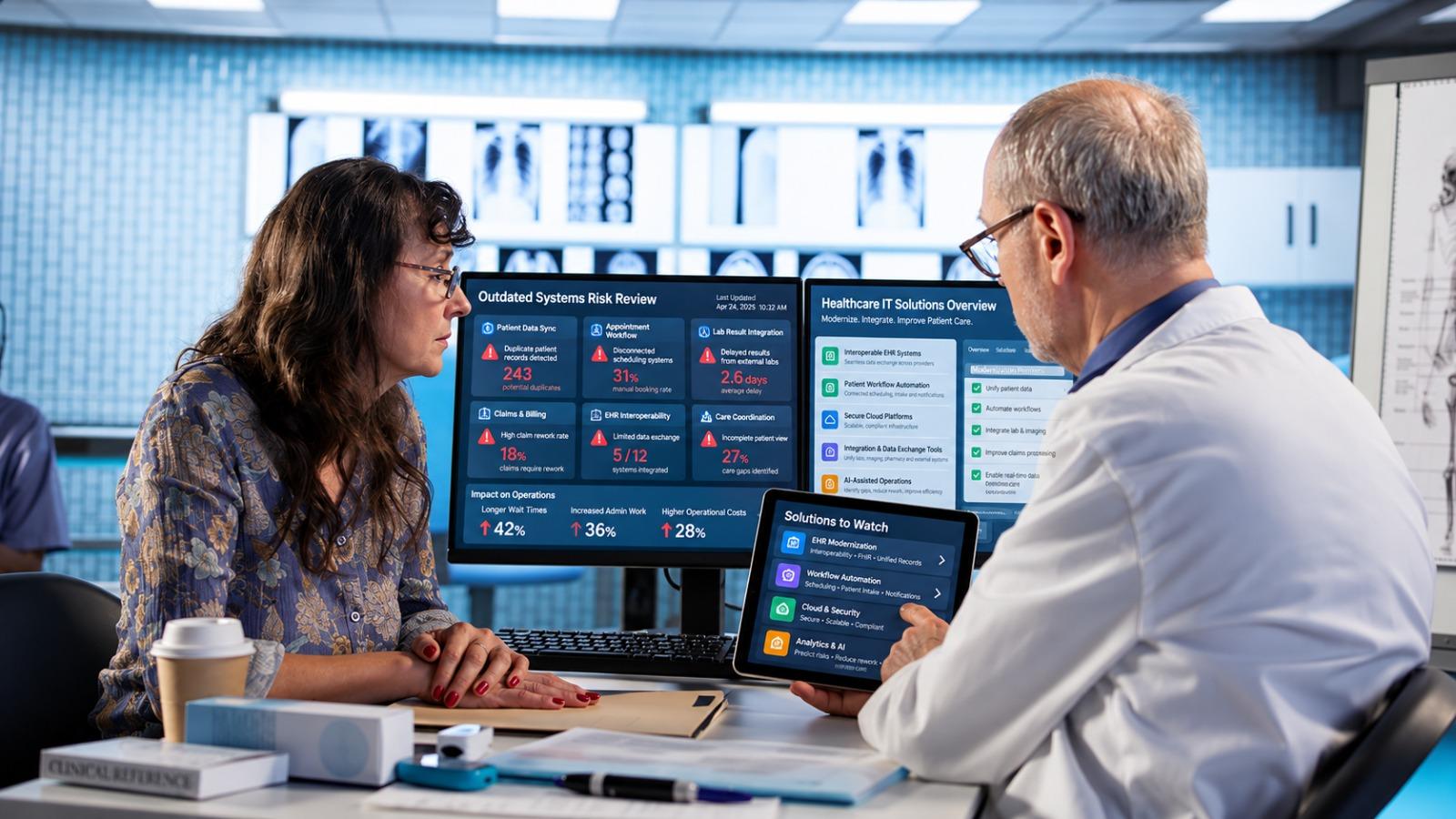


Explore practical healthcare IT solutions for outdated systems, including EHR integration, security, disaster recovery, patient portals, AI, and modernization.
TL;DR — Key Takeaways
- Focus healthcare modernization on recurring workflow problems instead of replacing systems simply because they are old.
- Improve EHR integration so patient information moves accurately across departments and systems.
- Build manageable security, disaster recovery, and patient access processes around real operational needs
- Use AI with clear human review, defined responsibilities, and appropriate safeguards.
- Plan for training, ongoing support, data migration, integrations, and long-term operating costs.
How many times did someone on your team copy patient information between screens today? Probably nobody counted. The receptionist corrected an appointment manually. A nurse called for a missing result. Someone in billing reopened a claim because the details had changed elsewhere. Work continued, but only because people filled the gaps.
That is the problem with outdated technology. It can remain technically available while making every shift harder.
The healthcare IT solutions worth watching should reduce that extra work. Connected records, dependable recovery, simpler patient access, and carefully supervised automation deserve attention before another impressive dashboard does.
At Hubops, we would start with a practical question: which recurring delay would your staff most like to stop dealing with? The answer gives modernization a useful direction.
Healthcare IT Solutions Should Start With Everyday Friction
An old system does not automatically need replacing. A newer one does not automatically deserve keeping. Look at what each application costs your organization in maintenance, delays, rework, and operational exposure.
Consider a scheduling platform that books appointments correctly but cannot receive referral updates. Replacing scheduling may be unnecessary. Repairing that connection could remove the daily phone calls staff uses to confirm missing details.
Our healthcare IT solutions bring clinical and operational workflows into the same modernization conversation. We look beyond individual applications because a patient journey crosses departments, vendors, and data sources.
Map Healthcare Workflow Problems Before Buying
Ask employees to show you the awkward parts of a normal shift. Watch the work happen. A process diagram rarely captures the spreadsheet someone keeps open beside the approved software.
Start with two checks:
- Identify where staff repeatedly copy, chase, print, or correct information, and record which system should have supplied it.
- Check whether each recurring failure has an owner, a documented workaround, and a measurable effect on service delivery.
Those findings turn a broad modernization budget into specific work that teams can evaluate.
EHR Integration That Carries Information Across Departments
Electronic health record integration deserves attention when patient details arrive late, appear differently across applications, or require manual reconciliation.
Imagine a laboratory correcting a result after its original report has reached the EHR. Does the corrected version replace the earlier value? Is the treating team notified? Can staff see what changed?
Healthcare IT solutions should handle those questions explicitly. Moving a message successfully is only part of the job. The receiving system must associate it with the correct patient and preserve the information needed for follow-up.
Test Patient Data Beyond A Successful Connection
Ask vendors to demonstrate duplicate records, corrected results, unavailable systems, and messages arriving out of sequence. Use representative test data. Include staff who deal with exceptions every day.
Data ownership also needs an answer. If registration and billing disagree about a patient's address, which record is authoritative, and how does the correction travel?
Agree on how staff will spot missing information, too. A failed transfer should create a visible task for a named team, with enough detail to investigate. Silent failures can persist while every application still appears to be running normally.
We explore these handoff problems in our guidance on healthcare digital transformation for hospitals with disconnected systems. It gives teams a useful starting point for examining where information stops moving, especially when several departments already have functioning software.
Healthcare IT Solutions Need Security Teams Can Maintain
Security upgrades can fail operationally when they create more alerts than anyone can investigate. A long vulnerability list needs prioritization, named owners, and a workable route to remediation.
Check Point's Under Pressure: The 2026 Exposure Gap Report, covered by Express Computer, recorded a median healthcare remediation time of 158.8 hours. The company linked the delay to constraints including older systems and clinical uptime requirements.
That finding supports a practical procurement question: how will fixes reach systems that cannot simply be restarted during working hours?
Healthcare IT solutions should make access reviews, monitoring, patch planning, and exception handling manageable for the people responsible. Buying another security product will not resolve an unowned maintenance process.
Review Healthcare Data Access And Vendor Permissions
Check who can export records, approve privileged access, and connect remotely. Remove accounts that no longer need access. Separate routine support access from administrative privileges, with approvals and activity records appropriate to the task.
Include connected medical equipment in the inventory. Coordinate changes with clinical engineering and manufacturers where needed; standard server maintenance procedures may be unsuitable for those devices.
CTA: Are Outdated Systems Slowing Your Care Teams Down?
Plan healthcare IT solutions with our Hubops team to connect patient information, reduce repetitive administration, and prioritize upgrades around your daily operations.
Healthcare Disaster Recovery Needs A Working Rehearsal
A successful backup notification does not prove that appointments, medication records, and diagnostic images will be available after an outage.
In its global State of Ransomware in Healthcare 2025 report, Sophos found that 58% of surveyed healthcare organizations hit by ransomware recovered within a week. That is a survey finding, not a recovery target for your organization.
Your own tolerance may be much shorter for particular services. Define it before choosing the architecture.
Healthcare IT solutions should distinguish between restoring a server and restoring a usable clinical workflow. Authentication, interfaces, databases, and dependent applications may need to return in a particular order.
Restore The Workflow, Then Reconcile The Backlog
Rehearse what happens after systems return. Paper notes may need entering. Queued messages may arrive together. Staff need to know how to prevent duplicate bookings or repeated requests.
Assign someone to confirm that restored information is current and complete. Keep the recovery plan accessible during the outage it describes. A document stored only inside the unavailable environment is not much help.
Patient Portals Should Finish The Administrative Job
A patient changes an appointment online, receives confirmation, then gets a reminder for the original time. The portal worked. The connected process did not.
Look for healthcare IT solutions that carry patient actions through scheduling, communications, registration, and billing where appropriate. A convenient interface loses value when staff must repair the transaction afterward.
Check Patient Access Under Ordinary Conditions
Test forms on an older phone and a slow connection. Check keyboard navigation, readable instructions, error messages, and the route back after an interrupted session.
Make proxy access explicit for caregivers. Keep account recovery practical without exposing patient information. Offer a supported alternative for people who cannot complete the digital process.
Measure completed tasks and avoidable follow-up calls. Download totals and portal registrations tell you little about whether patients can actually finish what they came to do.
There is another test worth running: change a booking shortly before a clinic closes. Check who receives the update and whether the old reminder is canceled. Small timing problems become expensive when staff discovers them only after a patient has traveled to an appointment.
AI Healthcare IT Solutions Need Clear Boundaries
Administrative AI can help draft documentation, organize incoming requests, or flag incomplete forms. Start with a task whose output a qualified person can check before it changes a record or triggers further action.
The global Philips Future Health Index 2026, reported by Healthcare in Europe, found that 50% of surveyed clinicians reported greater capacity to see patients through AI. These are reported experiences, not a guaranteed result for every deployment.
For healthcare IT solutions involving AI, the useful question is where time goes after automation. Does a clinician spend less time drafting, but more time correcting? Does an administrator review fewer forms, yet face a growing exception queue?
Keep Human Review Inside The AI Workflow
Set permitted uses, review responsibilities, escalation routes, and rules for handling patient information. Evaluate performance against the task and population involved. Keep a route to pause the tool when output becomes unreliable.
Avoid expanding a promising administrative pilot into clinical decision support without a separate assessment. The consequences, validation needs, and oversight can change substantially.
Healthcare IT Services Must Include Training And Support
Training cannot be a recording sent around after launch. People need protected time to practice the tasks they will perform, including mistakes and exceptions.
The same global Philips Future Health Index 2026, covered by Healthcare in Europe, found that 70% of healthcare professionals described AI training as inadequate, inconsistent, or unavailable.
Build that lesson into healthcare IT solutions from the beginning. Name department contacts, schedule support around shifts, and document how users report problems without resorting to informal workarounds.
Define Support After Healthcare Software Deployment
Ask who handles an interface failure after hours. Establish which supplier leads when several products are involved, and how staff receives updates during an incident.
Our guidance on custom software development for complex digital operations connects early discovery with testing and support after launch. That planning is useful when hospital software depends on multiple vendors whose responsibilities could otherwise overlap or leave gaps.
Budget For Healthcare Modernization Beyond Launch
License prices are easy to compare. Data migration, interface maintenance, training, monitoring, and future changes are less visible until the invoices arrive.
Evaluate healthcare IT solutions across their operating life. Ask what happens when a vendor changes an interface, storage grows, or your organization adds another location. Include data export and exit assistance in the commercial discussion.
Before comparing proposals, ask each supplier to price the same scope. Include environments, interfaces, migration rehearsals, support hours, and responsibility for fixes. Otherwise, the cheapest offer may simply leave more work with your internal team. Healthcare IT solutions should come with a clear description of what delivery actually includes.
At Hubops, our technology services cover application, infrastructure, and connectivity needs together. We use that broader view to help plan phased changes around existing dependencies and the people who maintain them.
Choose Healthcare IT Solutions With Verifiable Acceptance Criteria
Agree on evidence before signing off:
- Demonstrate the intended workflow using representative records, ordinary users, and documented failure scenarios before expanding deployment.
- Compare rework, processing time, support requests, and service interruptions against the baseline, then investigate any deterioration.
Keep the first release narrow enough to assess properly. Expansion should follow demonstrated improvement, with time reserved to correct problems staff uncovers.
CTA: Ready To Plan A More Practical Healthcare Technology Upgrade?
Talk with our Hubops team about healthcare IT solutions that fit your existing systems, support requirements, and modernization priorities. We can help define the next step.
Final Thoughts On Healthcare IT Solutions
The most useful upgrade may be the one nobody celebrates: a corrected result arriving properly, an appointment change reaching every system, or a recovery rehearsal exposing a missing dependency before an outage does.
We recommend starting there. Choose a recurring problem, establish what improvement looks like, and give the people doing the work a say in the result. A manageable change that removes daily friction provides a stronger foundation for the next investment.
Frequently Asked Questions
What are healthcare IT solutions?
They are technologies and related services that support healthcare operations, including electronic records, patient portals, data exchange, cybersecurity, infrastructure, and automation. Their value depends on how reliably they support staff and patient needs.
Does older hospital software always need replacing?
No. Reliable software may benefit from improved connections or targeted upgrades. Replacement becomes more compelling when support ends, security weaknesses cannot be adequately controlled, or essential workflow changes are no longer practical.
What should healthcare IT services include?
Look for discovery, implementation planning, migration, testing, training, monitoring, and ongoing support. Clarify responsibility for vendor coordination, incidents, recovery exercises, and future changes before delivery begins.
Which healthcare workflow should we modernize first?
Start with a frequent, measurable problem that has a clear owner and manageable dependencies. Referral tracking, appointment updates, and administrative reconciliation can be candidates, subject to your organization's clinical and operational priorities.
How can we compare healthcare IT solutions effectively?
Request demonstrations using your workflow scenarios, inspect integration limits, and compare full operating costs. Speak with proposed delivery and support teams. Confirm data ownership, export options, acceptance criteria, and recovery responsibilities in writing before committing.